Spots the scam while it's still happening.
It listens to the call, reads the message and checks the link. If it's a scam, you'll know in time to hang up.
Open Scudo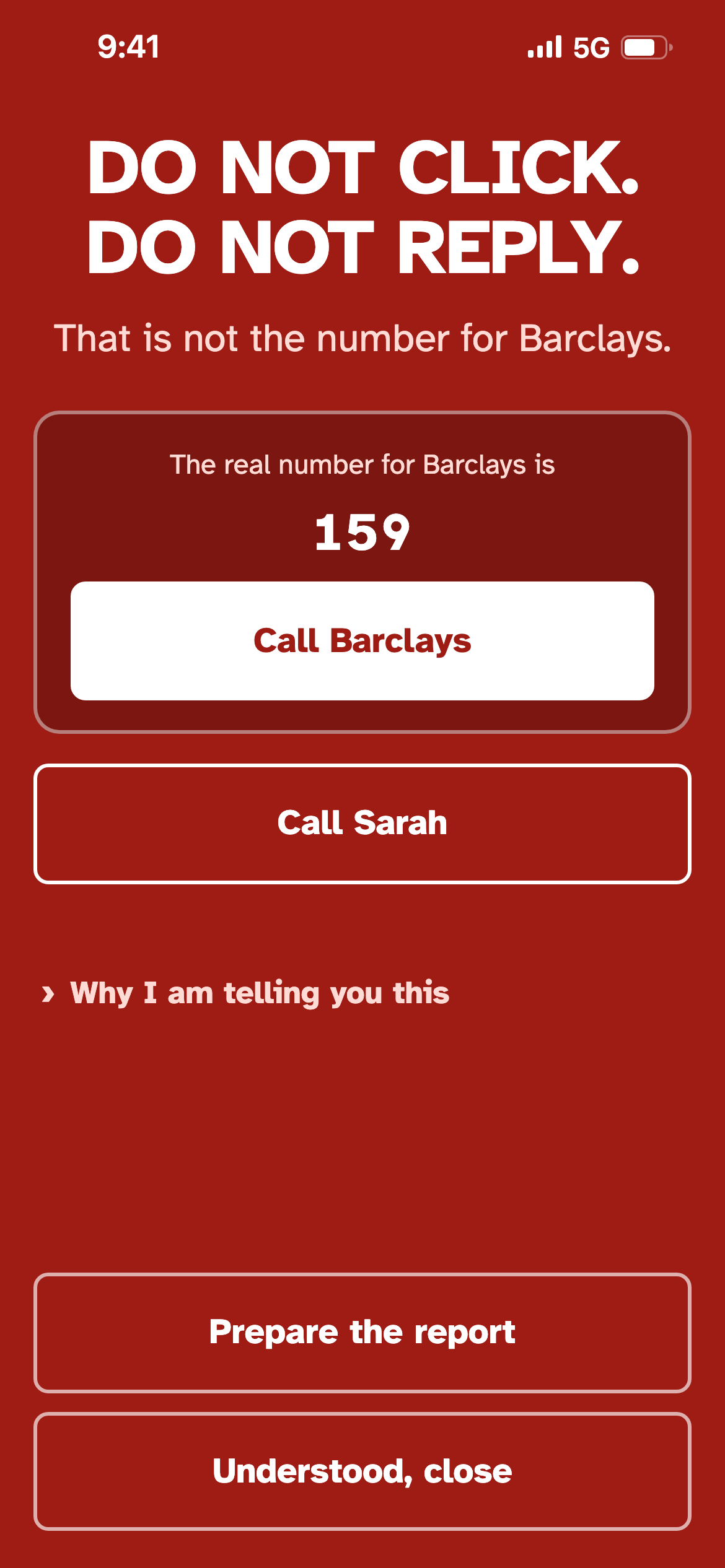
What it checks
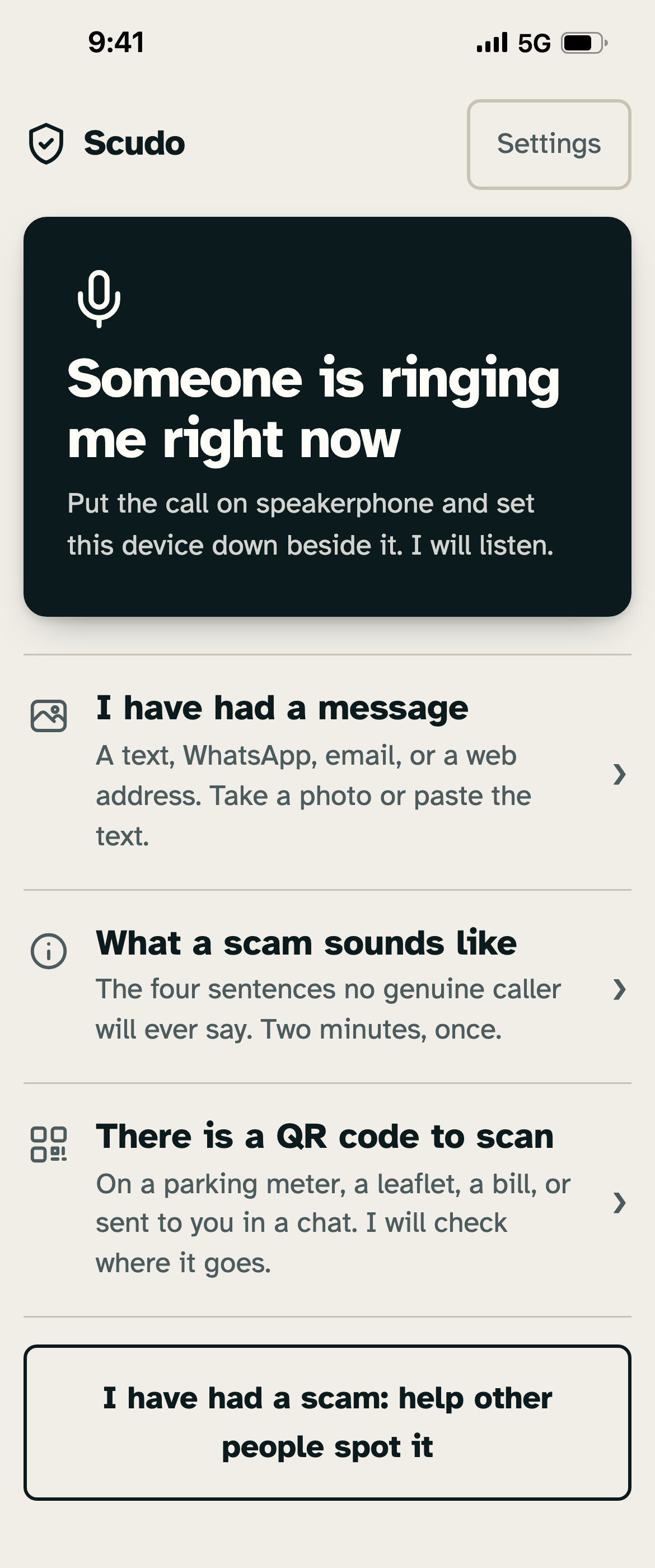
Three things, and each one on its own. You never have to work out which to use.
The call
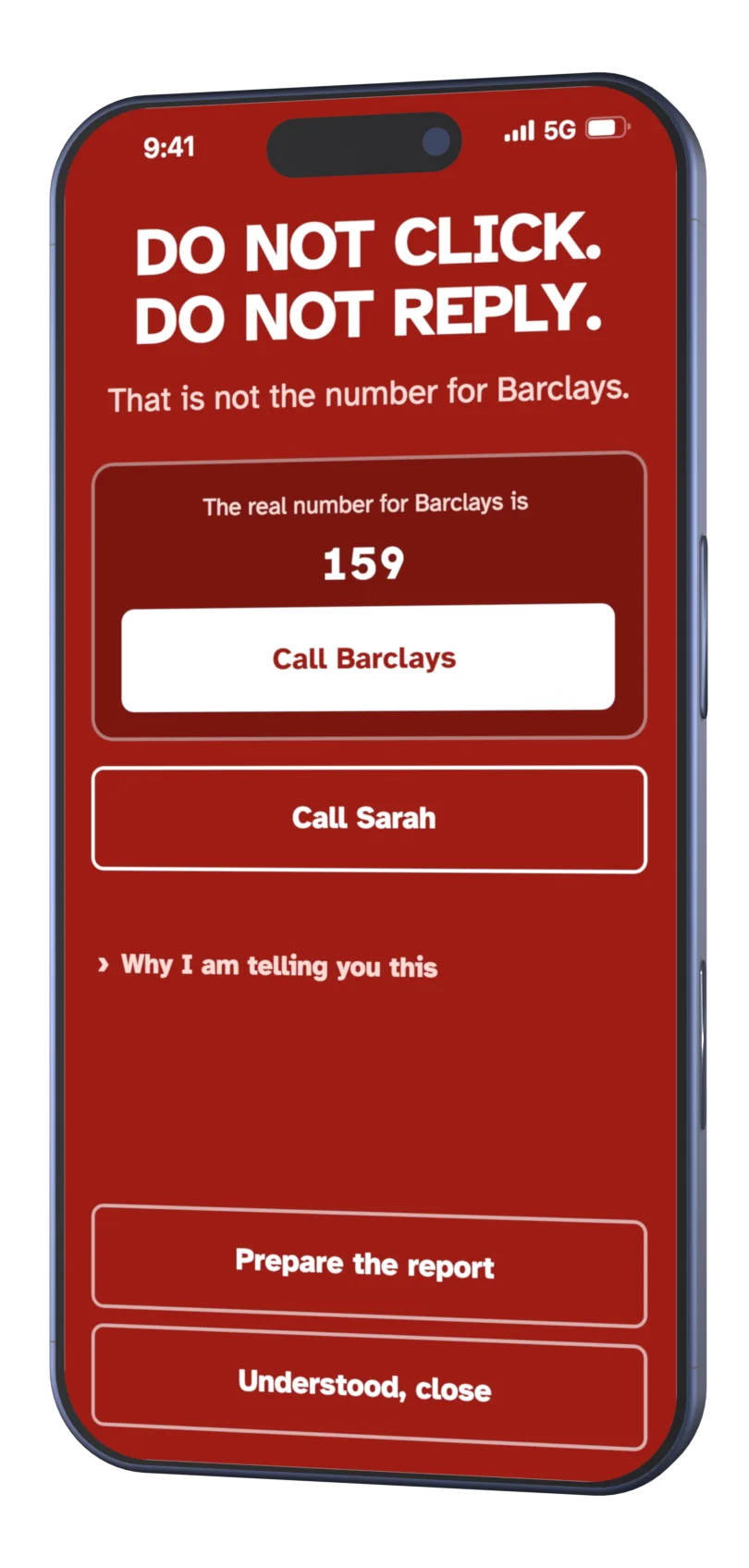
Put the call on speaker and set the phone down. Scudo listens, and speaks up when it hears the lines scammers use: the fake bank official, the grandchild in trouble, the engineer who needs a code.
The message
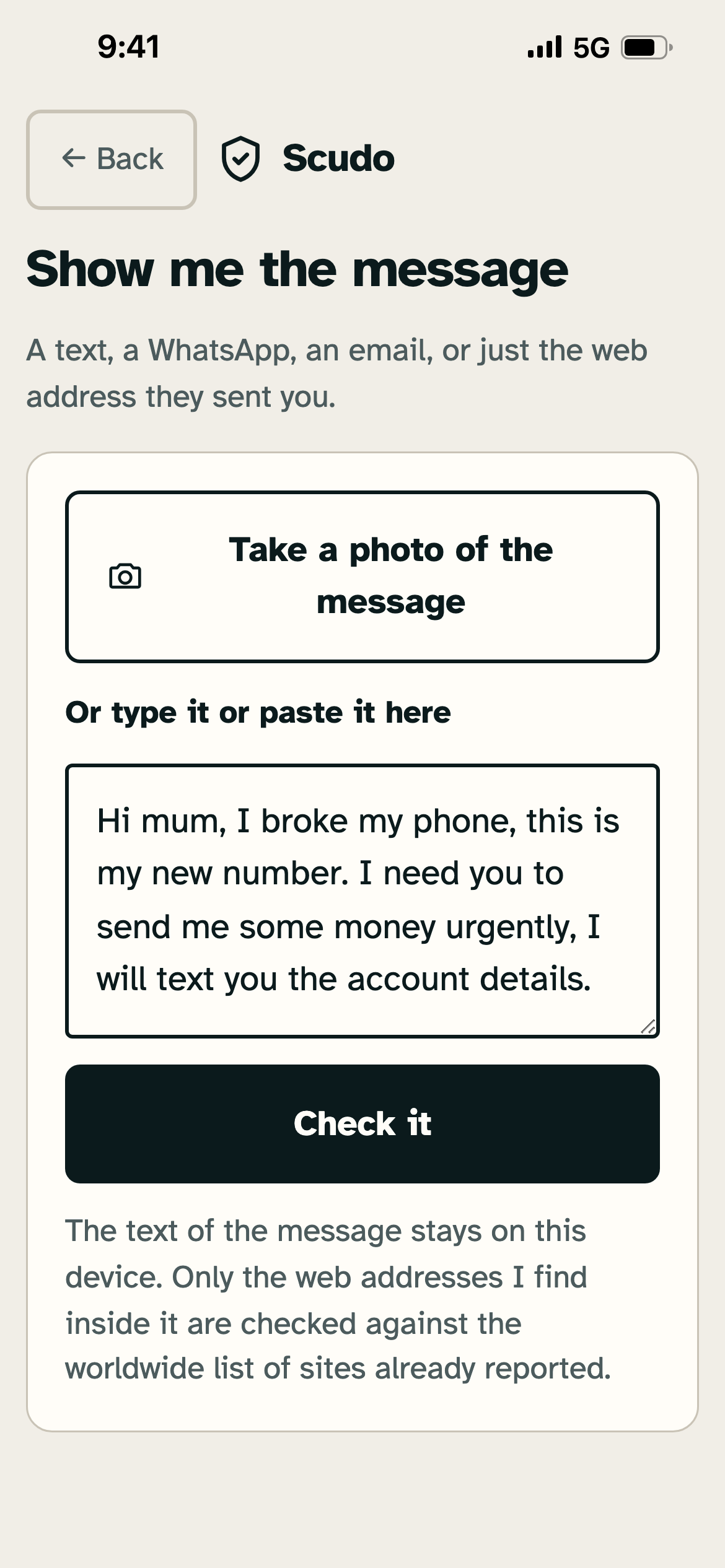
Paste in the text, or take a photo of the screen it arrived on. Scudo reads it, tells you whether it's a scam, and what gave it away.
The link and the QR code
Before you tap a link or scan a sticker on a parking meter, Scudo checks where it really leads.

The numbers, measured again on 14 September 2026
These aren't estimates. They come from test benches, and the commands to run them again are at the end of this section.
Eleven scams copied word for word from Which?, Hiya and the British press. The English rules were written while looking at this bench, so it also measures how closely the rules resemble it. In Italy the same kind of number turned out far too high (see below), and we haven't yet measured Scudo on UK scams it has truly never seen.
Real text messages and GOV.UK guidance, checked twice, once as a phone set to Italy and once as one set to the UK. This is the number that decides whether an app stays on the phone. One that cries wolf is deleted within the week, and then it protects no one.
The same as with clean text. Photographing another phone's screen, at an angle and with the glare on it, is how people really use this.
This card used to say 76%, measured on 17 Italian scams we had in front of us while writing the rules. On 14 September we gathered 50 new ones from newspapers and anti-fraud sites and measured them without reading them first: the red screen appears on 1 message in 31, and 2 phone-call lines in 19 raise a warning. Scudo recognises the scripts it knows. A scam written in a new way, almost never.
Scudo doesn't catch every scam, and new ones almost never. That's why every answer, green included, repeats the rule that always holds: if they ask for money, codes or a click, stop and ring someone you trust, or the real number, yourself.
How to check these numbers yourself
Anyone with the project files can run every measurement again and get the same figures. Seven commands, run from the app folder.
node test-copioni.mjsThe safety net. Must pass, always.node banco-cieco-uk.mjsHow many unseen UK scams it catches.node falsi-allarmi-en.mjsHow many false alarms it raises on genuine English.node testo-sporco.mjsHow well it copes when the text comes from a photo.node banco-cieco.mjsThe old Italian bench behind the 76%, seen while writing the rules.node prova-ingredienti.mjsHow many truly unseen Italian scams it catches: the “oggi” column.node banco-inglese.mjsThe wider English bench, American sources included. Today: 55% of 31.
What never leaves your phone
Everything is checked on the phone itself. The conversation isn't sent anywhere, and no record of it is kept.
- No sign-up. It doesn't ask for your number or your contacts.
- It doesn't ask for access to your bank accounts, and doesn't need it to work.
- It keeps no record of what it hears or what it reads.
- The only thing that can ever leave, and only if you choose to send it, is a scam you received. Even then you read it through first, with account numbers, card numbers and email addresses already blanked out, and you can delete anything else before it goes.
This page is built the same way: no cookies, no analytics, no outside server contacted. Not even for the typeface you're reading.
What hasn't been proven yet
Call listening has been tested on scripts and recordings, not yet on a speakerphone in a real kitchen, with the noise of the house around it. Until that test is done, we promise nothing about listening. Message, link and QR code checking has been measured, and the numbers are above.
One limit always holds: Scudo knows the tricks scammers are using today, and they invent new ones every month. That's why the app has a button to report what you received. That is how it learns.
Put it on your Home Screen
There's nothing to download from an app store. Scudo opens in your browser, and from there it becomes an icon like any other. After that it opens even without a signal.
iPhone
- Open Scudo in Safari.
- Tap the Share button at the bottom of the screen.
- Scroll down and tap Add to Home Screen.
Android
- Open Scudo in Chrome.
- Tap the three dots at the top right.
- Tap Install app, or Add to Home screen.
Scudo is free, and asks nothing of you.
Open it and it works. If it helps one person, it's done its job.
Open Scudo